StoryGraph vs Goodreads

StoryGraph vs Goodreads

Checked against the official help pages on November 5, 2026.

Goodreads is free, older and bigger, with ads on Android and a library export that only works on the desktop site. The StoryGraph is free with an optional Plus tier ($4.99/month or $49.99/year in the US), adds mood and pace stats, imports a Goodreads library, and offers its own CSV export from Manage Account.

GoodreadsThe StoryGraph
PriceFree; Android app contains adsFree; Plus $4.99/mo or $49.99/yr
AppsiPhone, Android, webiPhone, Android, web
ImportCSV with ISBNs (desktop only)Goodreads CSV; other sources reshaped to Goodreads format
ExportLibrary CSV (desktop only); account data as JSONCSV from the User Export page (Manage Account)
StatsReading challenge, Year in BooksMood, pace, genre charts; more with Plus

Sources: Goodreads Help (import/export), StoryGraph Help (getting started), and both apps’ US store listings, read on November 5, 2026.

Or keep both libraries in one private journal

Bookwisp reads both files — a Goodreads CSV and a StoryGraph CSV — and recognises books you already have, so importing both doesn’t double anything. It’s a journal rather than a social network: timer, quotes with page numbers, series in order, and your library stays on your phone. See all the Goodreads alternatives side by side.
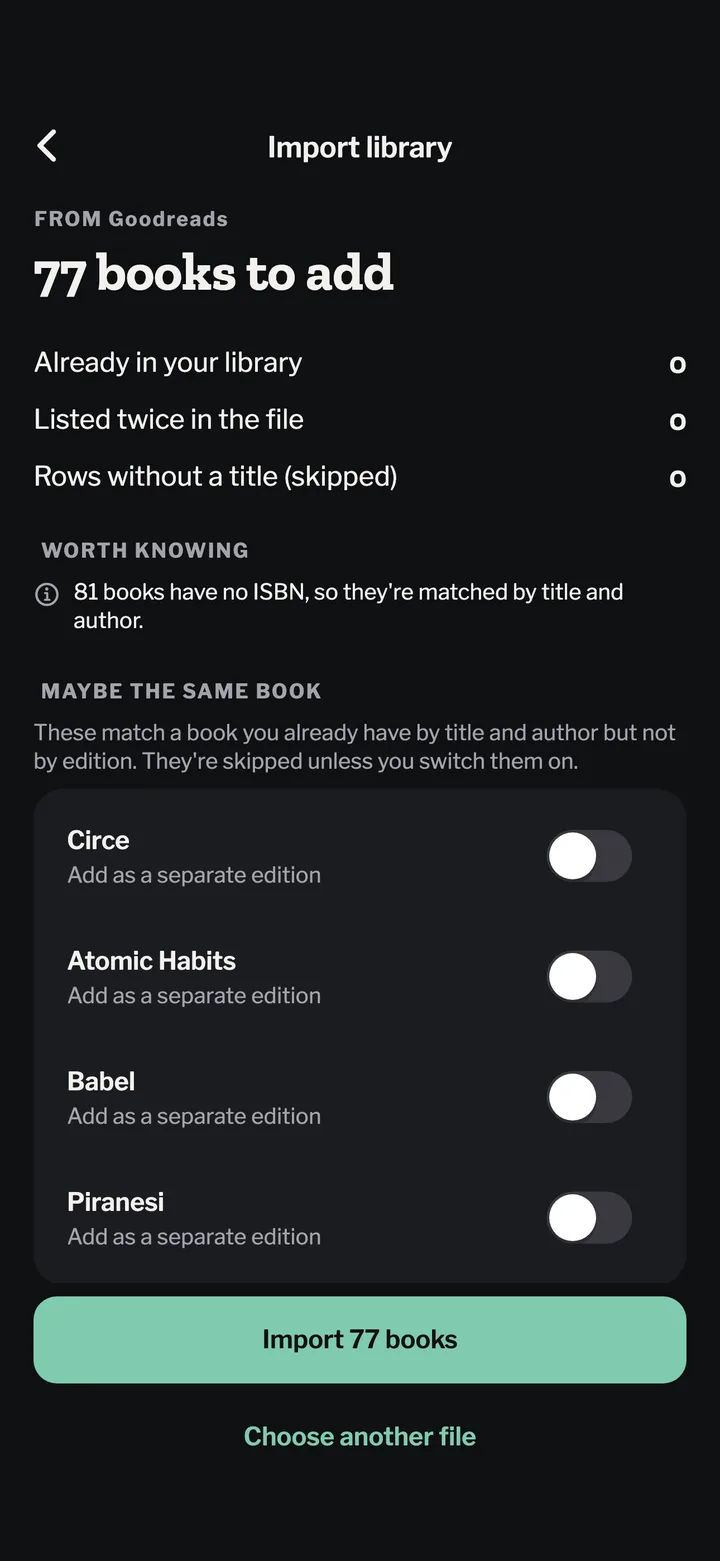
Moving from Goodreads?

Bring your whole library over. Free, and you see every book before it’s saved.

Pick the CSV you exported from Goodreads or StoryGraph. Ratings, dates, rereads, shelves and reviews come with it, and books you already have aren’t doubled.

Bookwisp import preview showing books from a Goodreads export

Questions

Is StoryGraph free?
Yes. The StoryGraph is free to use; StoryGraph Plus is an optional subscription ($4.99 a month or $49.99 a year on the US App Store) that adds custom charts, extra stats filters and year-over-year comparisons.
Can I move from Goodreads to StoryGraph?
Yes. Export your Goodreads library as a CSV on the Goodreads desktop site, then use StoryGraph’s Goodreads import (Manage Account → import). StoryGraph imports your read, currently-reading, to-read and did-not-finish shelves, and turns custom shelves into tags.
Can I export my StoryGraph data?
Yes. StoryGraph has a User Export page, linked from Manage Account, that produces a CSV of your library.