Checked against the official help pages on November 5, 2026.
To move from Goodreads, export your library as a CSV on the Goodreads desktop site (My Books → Import and export → Export Library), then import that file into your new app. Ratings, the latest read date, read count, shelves and reviews come across; start dates and earlier reads are not in the Goodreads file, so add those by hand if they matter to you.
1. Export
On a computer: My Books → Import and export → Export Library, then click the “Your export from…” link to download the CSV. On a phone, use the desktop site in your browser. Full steps.
2. Check what’s in it
Drop the file into Goodreads stats — books per year, pages, ratings and authors, read in your browser. If the totals look right, the export is complete. Note which books are rereads (Read Count 2+): only their latest date is in the file.
3. Import
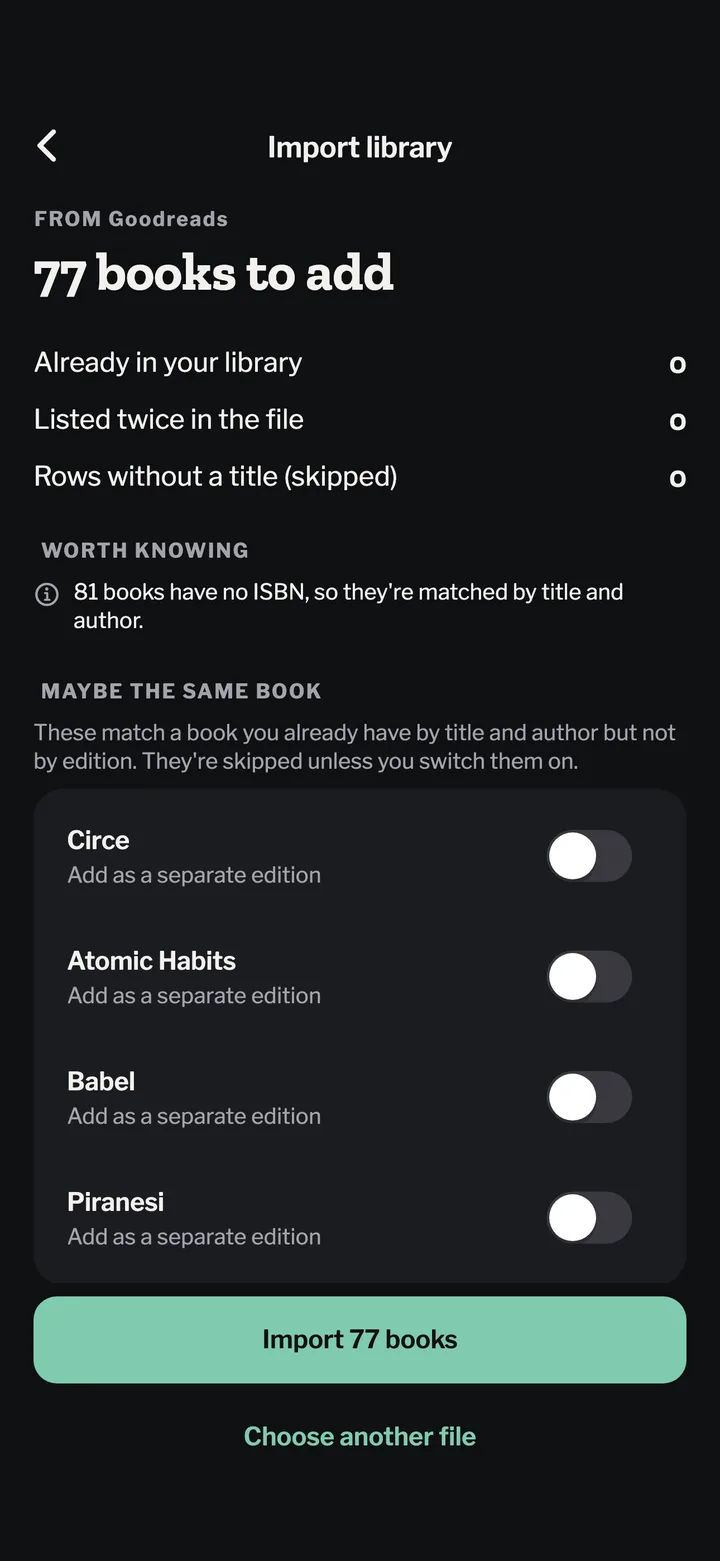
In Bookwisp: Settings → Import library, pick the CSV. Before anything is saved you see:
how many books will be added and how many you already have;
books that might be a different edition of one you have, each one switchable;
rows it couldn’t read, and dates it couldn’t parse (left empty, not guessed).
Series books are recognised from the Goodreads title (“(The Stormlight Archive, #1)”) and line up in order.
4. Fill the gaps Goodreads leaves
Earlier reads of a reread: add them on the book’s page with their dates.
Start dates: Goodreads doesn’t export them; edit the read if you remember.
Books without an ISBN (common for Kindle editions) are matched by title and author.
Moving from Goodreads?
Bring your whole library over. Free, and you see every book before it’s saved.
Pick the CSV you exported from Goodreads or StoryGraph. Ratings, dates, rereads, shelves and reviews come with it, and books you already have aren’t doubled.
Should I delete my Goodreads account after moving?
Not straight away. Keep it until you have checked the import in your new app, and keep the CSV file as a backup. If you do delete it, also request “Download my Goodreads data” first to keep reviews and other account data.
Will my Goodreads reviews come across?
Reviews are in the My Review column of the export, so apps that import reviews — Bookwisp does — bring them over. Comments and likes on reviews are not in the file.