Goodreads doesn’t publish an official list. The columns below are the ones in current exports, as listed by Goodreads members in this thread and matching the files Bookwisp’s importer was built against. Exports made before mid-2022 also had Recommended For/By, purchase and condition columns.
| Column | What it holds |
|---|---|
| Book Id | Goodreads’ own id for the edition on your shelf. |
| Title | Title as shown on Goodreads. Series books carry the series in brackets: “The Way of Kings (The Stormlight Archive, #1)”. |
| Author | Main author, “First Last”. Sometimes contains two spaces in a row. |
| Author l-f | Same author as “Last, First”. |
| Additional Authors | Co-authors, translators and illustrators, comma-separated. |
| ISBN | ISBN-10, written as ="0385353316" (a spreadsheet formula) — or ="" when missing. |
| ISBN13 | ISBN-13 in the same ="…" form. Often empty for Kindle editions. |
| My Rating | Your stars, 0–5 whole numbers. 0 means you didn’t rate it, not zero stars. |
| Average Rating | The book’s average across Goodreads. |
| Publisher | Publisher of the edition on your shelf. |
| Binding | Hardcover, Paperback, Kindle Edition, ebook, Audiobook, Mass Market Paperback, … |
| Number of Pages | Pages of that edition. Empty for many ebooks and audiobooks. |
| Year Published | Year of that edition. |
| Original Publication Year | Year the work first came out. |
| Date Read | The most recent date you finished it, yyyy/mm/dd. Earlier reads have no date. |
| Date Added | When it went onto your shelves. |
| Bookshelves | Your non-exclusive shelves (tags), comma-separated. |
| Bookshelves with positions | The same shelves with your manual sort position. |
| Exclusive Shelf | read, currently-reading, to-read, or a custom exclusive shelf. |
| My Review | Your review text, with HTML such as <br/> and <i>. |
| Spoiler | Whether you marked the review as containing spoilers. |
| Private Notes | Notes only you could see. |
| Read Count | How many times you’ve read it. |
| Owned Copies | How many copies you marked as owned. |
Quirks that break imports
- ISBN formulas.
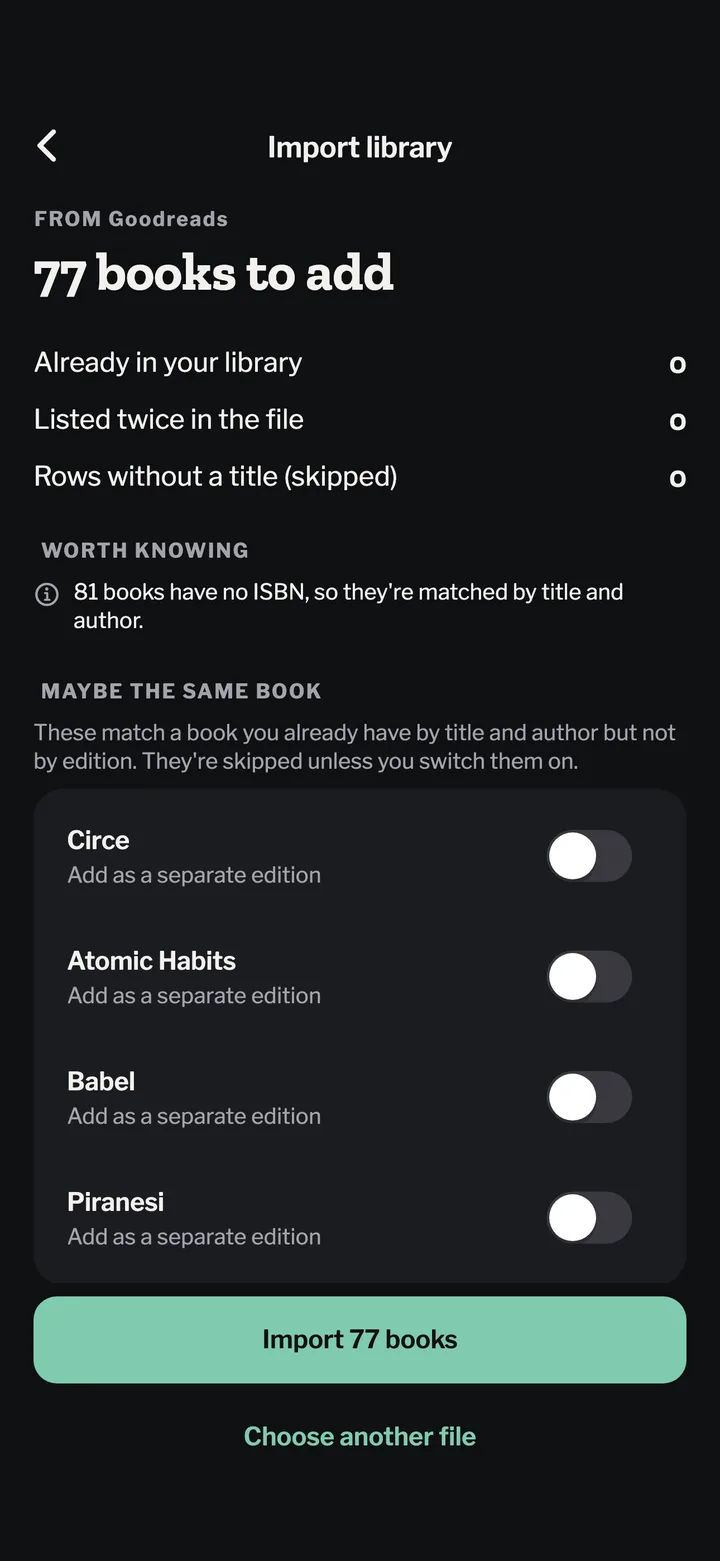
="9780385353311"has to be cleaned before it matches anything. - Missing ISBNs. Kindle and older editions often have none, so they must be matched by title and author.
- Rating 0. Treat as unrated.
- One date per book. A reread shows Read Count 2 or more, but only the latest Date Read.
- HTML in reviews. Line breaks arrive as
<br/>.
Bookwisp’s importer handles all of these, and shows you what it found — books to add, books you already have, rows it couldn’t read — before saving. Want to look at your numbers first? Try Goodreads stats.